The Stealth 16 AI+ is a gaming laptop that doubles as a discreet machine for creative work. Its superb OLED screen raises the bar for both entertainment and productivity.
Price When Reviewed
This value will show the geolocated pricing text for product undefined
Best Pricing Today
If you ask MSI, the Stealth 16 AI+ isn’t just a computer for creative work and productivity. It’s also a gaming laptop. But how well does it balance those two roles? And is 16GB of RAM enough for a laptop designed for creative workloads and modern games?
The Stealth 16 AI+ comes in a wide range of configurations, featuring processors from AMD Ryzen AI and Intel Core Ultra, various amounts of memory and storage, and several variants of Nvidia’s RTX graphics cards.
The model I received for testing has 16GB of RAM, though I wish it had more. You can get the same model with 32 or 64 GB. On paper, it goes up to 128 GB. Otherwise, it’s an excellent configuration for all kinds of productivity tasks.
It features an Intel Core Ultra 9 386H processor, one of the most powerful in the latest generation, with twelve cores and an AI coprocessor offering 50 TOPS of capacity. It’s a vague figure, but there’s no sensible, generalized way to seriously compare the AI performance of different platforms and processors. Too many different factors come into play. So TOPS will have to do.
US configuration note: Our review unit came with 16GB of RAM, but we could only find a US configuration with the same processor and graphics card, paired with 32GB of RAM, priced at $2,299.99. The US model offers twice the memory of our test unit.
Mattias Inghe
What it lacks compared with top-of-the-range Ultra X9 models is a slightly higher maximum clock speed. Performance is still impressively high, and I can handle video conversions, compile code, and manage large video projects with lots of filters and effects before the computer starts to feel sluggish.
Nor does it have the powerful integrated Arc graphics found in the X9 processors. But what use is that if you’ve got an RTX card built in? It handles gaming graphics, provides extra performance in CUDA- and Vulkan-supported programs, and can be used for demanding local AI workloads.
In this configuration, it’s an RTX 5070, which does a perfectly decent job. I would have preferred a 5070 Ti or 5080, but on the computer’s display, with a resolution of 2560×1600 pixels, it can maintain a high frame rate in most demanding game titles.
One positive feature of the Stealth 16 AI+ as a high-performance computer is its well-engineered cooling system, which is both efficient and comparatively quiet. Of course, active cooling kicks in when I’m playing demanding games or exporting video under maximum CPU load, but there’s none of the roaring jet-engine noise or persistent whooshing airflow found in some other high-performance laptops. If I’m just browsing the web, the laptop can run in low-performance mode and remain completely silent for the most part.
Mattias Inghe
As a creator’s laptop, the Stealth 16 AI+ boasts, above all, a superb high-resolution display with spot-on color and brightness control, thanks to a top-quality OLED panel. You also get a handy tool for easily switching between finely tuned presets for Adobe RGB, DCI-P3, and sRGB, as well as options for manual adjustment and professional calibration using an X-Rite calibrator, if you have access to one.
The computer can also switch the display profile automatically, depending on which program is running in the foreground. This is a useful feature for anyone moving between different creative applications and color spaces.
And yes, it’s also very good for gaming. It has fast response times, a high refresh rate, and support for G-Sync. With OLED, you don’t have to choose between creator-focused features and gaming performance. According to the specifications, the display is certified for VESA Display HDR True Black 600, and with the right video source, it delivers a wonderfully intense visual experience. However, I haven’t always been able to activate this feature where I think it should be available.
With a brightness of 360 cd/m² and the OLED panel’s deep blacks, the display looks bright and vibrant in both SDR and HDR when playing games, viewing photos, or watching films. It also has relatively good anti-glare protection thanks to its Gorilla Glass surface, making it comfortable to work on.
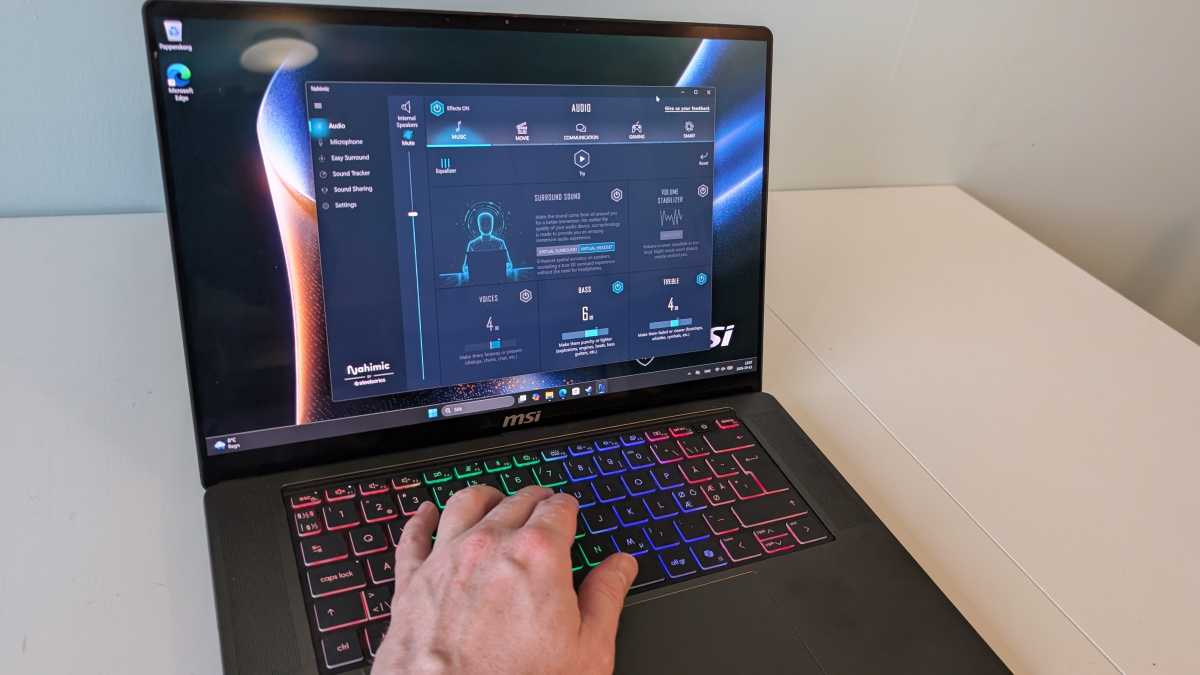
Flanking a well-built and comfortable keyboard, which lacks a numeric keyboard, are large speaker grilles concealing a powerful set of speakers. They deliver effective sound for gaming and films, though with more emphasis on volume than sound quality. Some detail is lost, and the sound can become shrill at high volumes, while voices can have a slightly harsh tone. Nahimic’s software helps improve the sound, offering both a good equalizer and effective surround sound.
Mattias Inghe
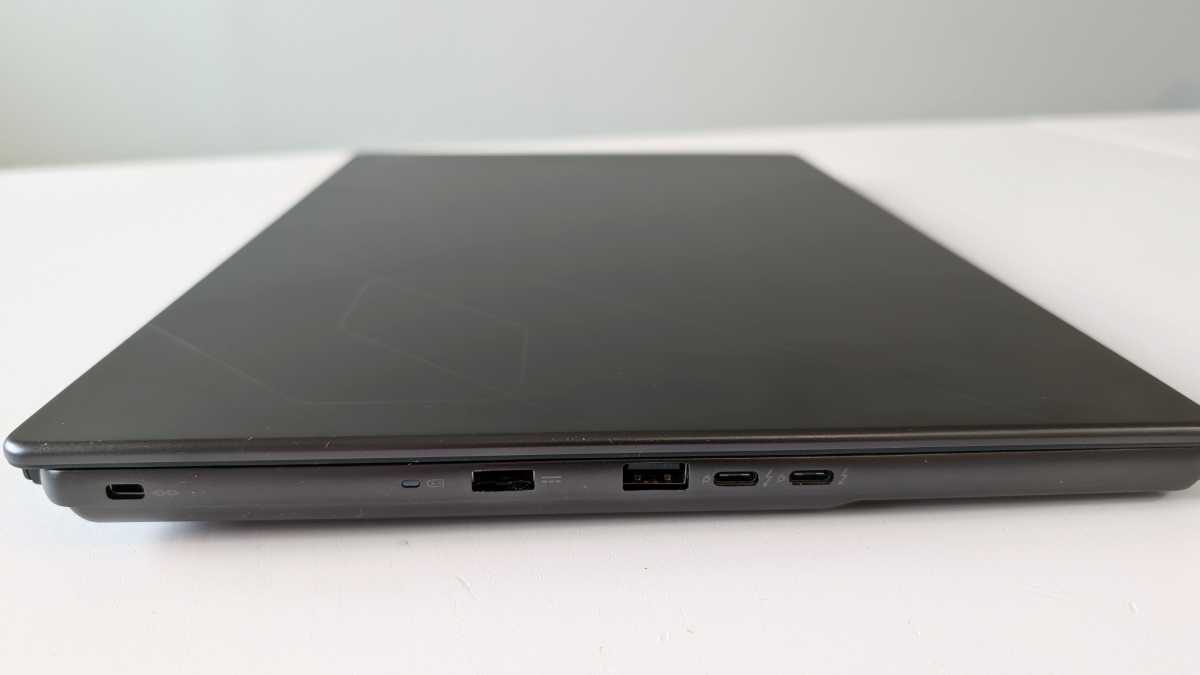
For ports, the Stealth 16 AI + features a wired network port, an HDMI port, two USB-A ports, and two Thunderbolt 4 ports. However, they do not support power delivery. Charging is handled via a separate proprietary port connected to a standard charging brick.
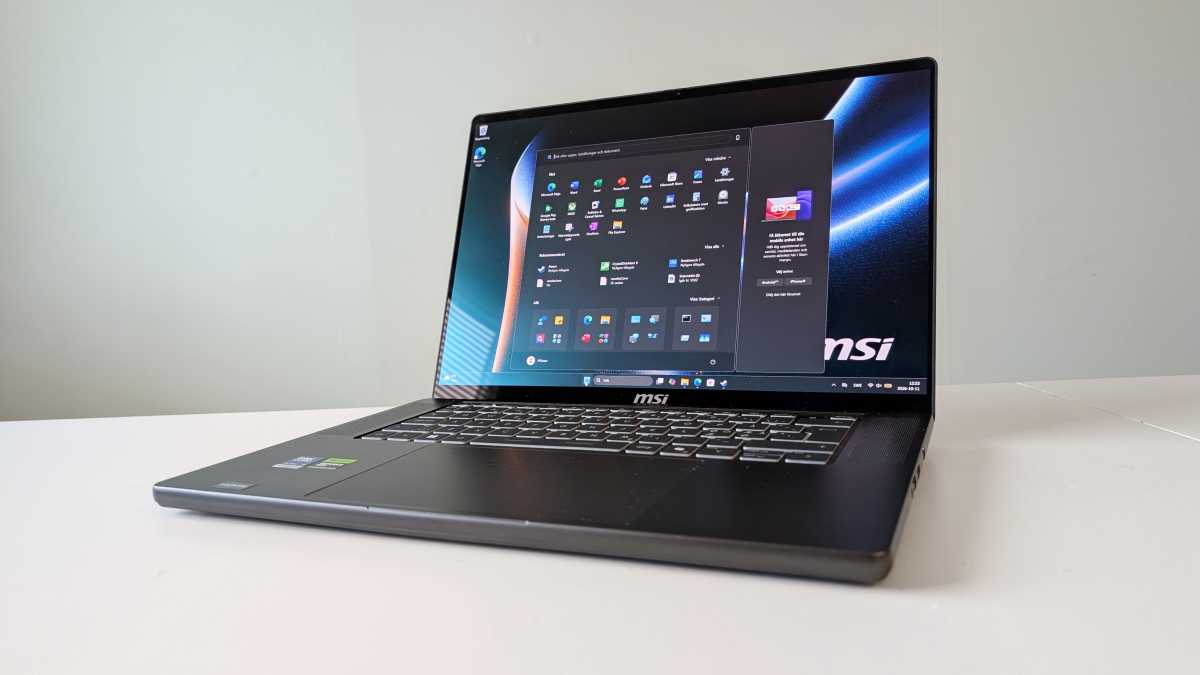
The charger is thicker than the laptop itself, which measures just 0.8 inches when closed and weighs no more than 4.4 pounds. It’s not exactly ultrabook-class, but still more compact than I’d expected.
The name Stealth is fitting, as the laptop looks elegant and minimalist on the outside. It’s not immediately obvious that it conceals a powerful gaming PC and creative workstation. The only thing that gives it away is the four-zone RGB lighting on the keyboard.
You can control the RGB lighting through a module in the MSI Center, where you can also manage cooling, perform system backups, and access a host of other tools. However, you need to install any modules you want manually, and they’re strangely sluggish to run.
You can set the performance and cooling controls to an AI mode that optimizes them based on your usage over time. Other AI tools, in addition to Microsoft’s Copilot features, include extra noise filters for the microphone and network optimization.

Mattias Inghe
The laptop has a 90 Wh battery that lasts no more than an hour under heavy CPU and GPU load. However, the system is good at conserving power when full performance isn’t needed. When I ran it in AI mode and set the screen to low brightness, the battery lasted the whole day. My workload mostly consisted of taking notes and browsing sporadically.
The price for the configuration with 32GB of RAM is $2,299.99, making it an appealing option, especially for those who plan to do a lot of gaming. Overall, the Stealth 16 AI + stands out as a powerful, well-built laptop with a slim design.
It’s not without flaws, though. MSI Center needs more refinement, and the speakers could do with a touch more finesse. That said, those nitpicks are pretty minor.

Product name: MSI Stealth 16 AI+ (B3WG-038NEUNN)
Tested: October 2026
Manufacturer: MSI
Processor: Intel Core Ultra 9 386H, 4 P-cores up to 4.9 GHz, 8 E-cores up to 3.7 GHz, 4 LPE-cores up to 3.5 GHz
NPU: Intel AI Boost, 50 tops
Graphics: Nvidia GeForce RTX 5070, 8 GB
Memory: 16 GB LPDDR5x
Storage: 1 TB SSD
Display: 16-inch glossy OLED, 2560 x 1600 pixels, 240 Hz, approx. 360 cd/m²
Webcam: 1080p
Ports: 2 x Thunderbolt 4, 2 x USB-A Gen 2, HDMI, headphone jack
Wireless: Wi-Fi 6e, Bluetooth 5.3
Operating system: Windows 11 Home
Other: 1 x M.2 slot for expanded storage
Noise level: 0–39 dBa
Battery: 90 Wh, 1 hour 5 minutes (high load, high brightness), 16 hours 30 minutes (low load, low brightness)
Dimensions: 35.4 x 24.6 x 1.99 cm
Weight: 4.4 pounds
Price: $2,299.99 (US configuration with 32GB of RAM)
Cinebench 2026, multi-threaded CPU: 4,427 points
Cinebench 2026, single-threaded CPU: 495 points
Geekbench 6, CPU multi-core: 14,404 points
Geekbench 6, single-core CPU: 2,813 points
Geekbench 6, GPU: 124,232 points
Geekbench 7, CPU multi-core: 15,503 points
Geekbench 7, single-core CPU: 2,560 points
Geekbench 7, GPU: 107,554 points
3DMark Fire Strike (DirectX 11): 28,597 points
3DMark Time Spy (DirectX 12): 14,047 points
3DMark Steel Nomad (Vulkan): 3,394 points
3DMark Port Royal (Ray Tracing): 8,972 points
Storage, read: 7,059.12 MB/s
Storage, write: 5,917.55 MB/s
Rating: 4 out of 5